 Mavera Docs
Your first 10 minutes
From signing in to your first real answer.
Your first real Mavera run
Click through the sidebar, audience picker, composer, attachment, result, and follow-up.
Use the real sidebar pattern and open Mave.
Good afternoon
Choose a surface from the sidebar to begin.
- 1Open MaveUse the real sidebar pattern and open Mave.
- 2Choose who answersOpen the audience picker and choose a named workspace audience.
- 3Write a useful requestType the decision you need help with in the composer.
- 4Attach contextAttach the sample brief so Mave has evidence to work from.
- 5Send itSubmit the request and watch the run state change.
- 6Read the resultOpen the evidence-backed answer card instead of stopping at the headline.
- 7Ask the follow-upUse the follow-up composer to press on the most important uncertainty.
1. Sign in
Go to app2.mavera.io and click Sign in with your Mavera account. Same login as always — one account across the whole platform. If your company already has a workspace, you'll land in it automatically.
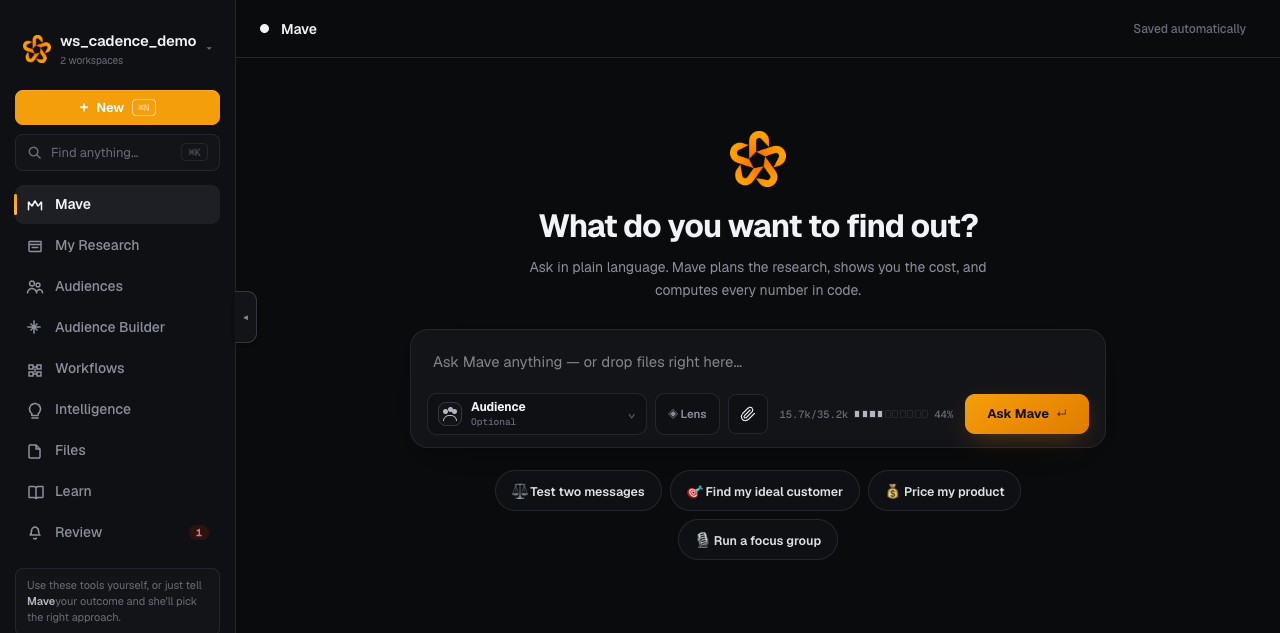
2. Say what you want — in plain language
The home screen is a chat with Mave. Type what you'd ask a research director:
"Would suburban dog owners pay $79 for a GPS collar with no subscription? What's the strongest selling point?"
Mave will either answer directly or propose a plan — "build this audience, run this study, here's what it'll cost" — and you approve before anything is charged.
3. Watch it happen
You'll see her thinking, then each step as it runs: audience built, questions fielded, results computed. A typical study takes 1–3 minutes.
4. Read the result like a pro
Every result card carries three things:
- The finding — the headline, in plain words.
- The numbers — computed from what the synthetic respondents actually said, never invented.
- The grounding badge — how real this is:
grounded(built from your real data),category-modeled(built from category knowledge), orestimate(labeled as such).
5. Pick up where you left off
Every conversation is saved on the left. Click any one to reopen it — the full thread is there, and you can keep asking follow-ups. The ⋯ menu on each conversation gives you a quick look, a share link, or the full page.
The golden rule
If you can describe it to a colleague, you can type it to Mave. The tools pages exist for when you want to steer the details yourself — you never have to leave the chat.